 Atoll
Atollweb-1 PROD
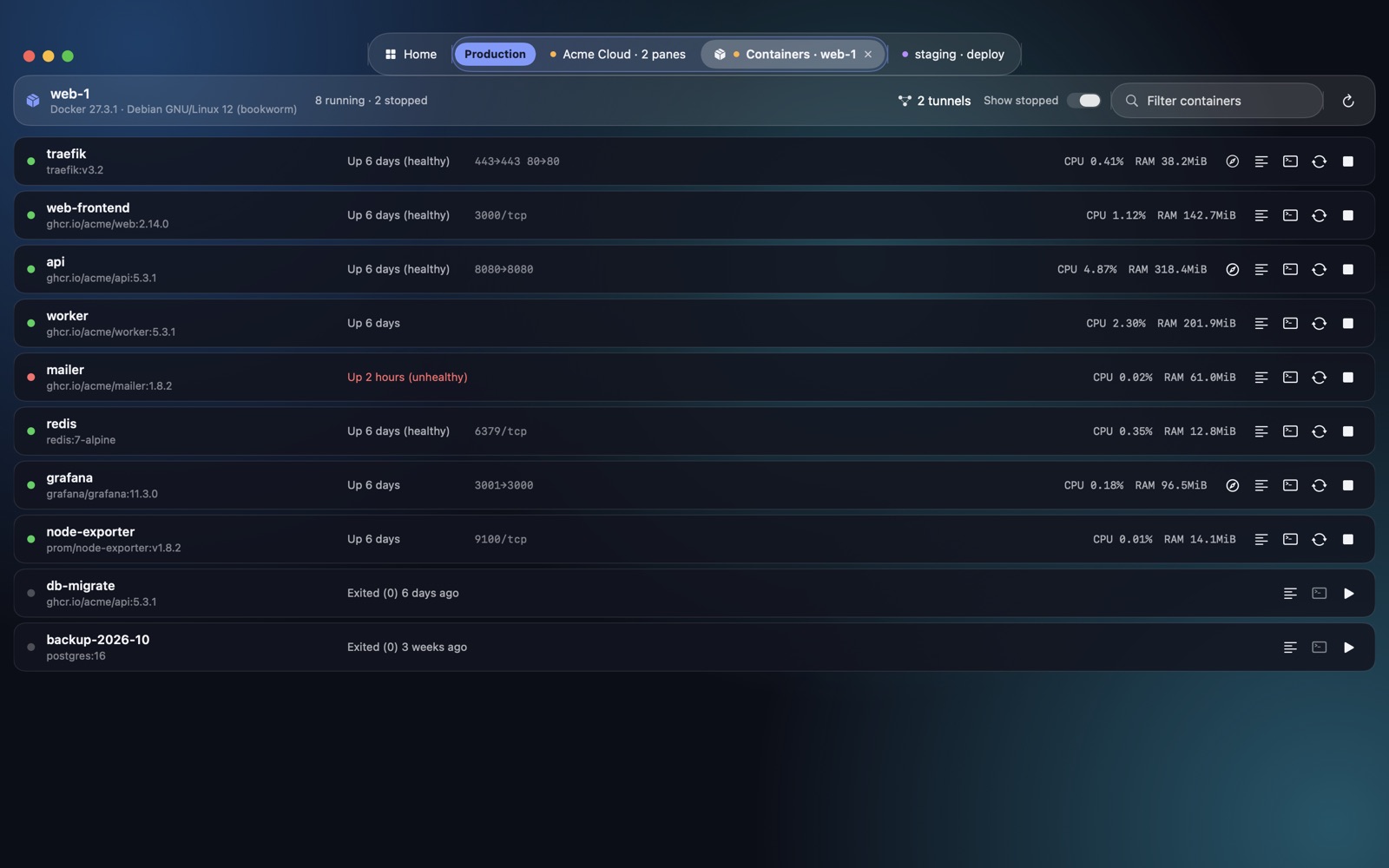
Containers · 8 runningWith Docker: a containers panel, live logs, and its ports opened in the browser through an automatic SSH tunnel.
Native SSH client for macOS
Terminal, SFTP, Docker containers, systemd services and commands across servers. Written in Swift, it uses your system's ssh and your ~/.ssh/config. A native, lightweight alternative to Electron-based SSH clients.
Lightweight
Today's "pretty" SSH clients are packaged web browsers. Atoll is 100% native: Swift, SwiftUI and macOS's own ssh.
Measured on a MacBook Air M2 with 8 GB, with Atoll and a well-known Electron-based SSH client open at the same time.
Adapts to each server
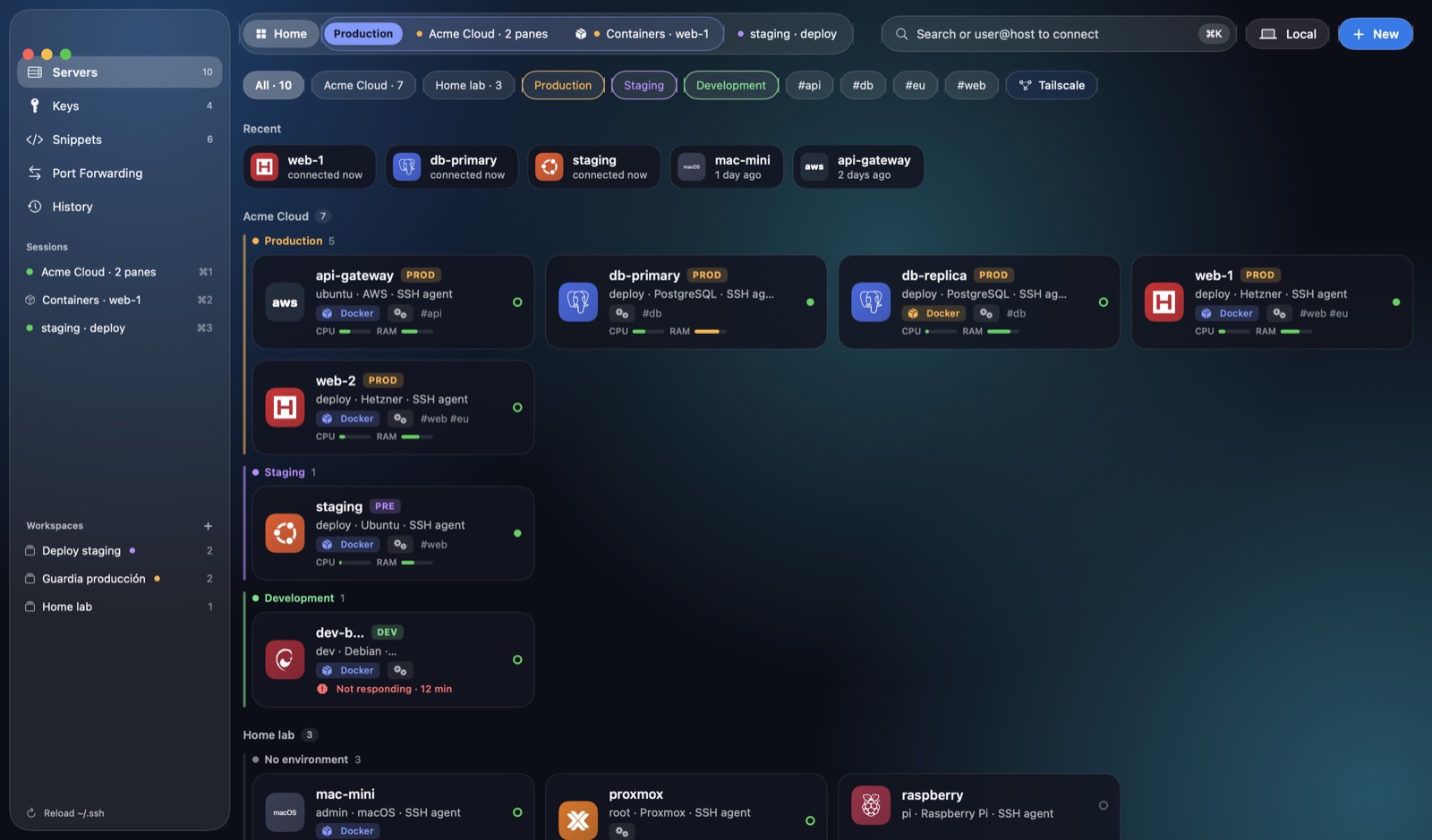
Atoll detects what each server has (OS, Docker or Podman, systemd, tmux, Mosh) and adapts what you see.
With Docker: a containers panel, live logs, and its ports opened in the browser through an automatic SSH tunnel.
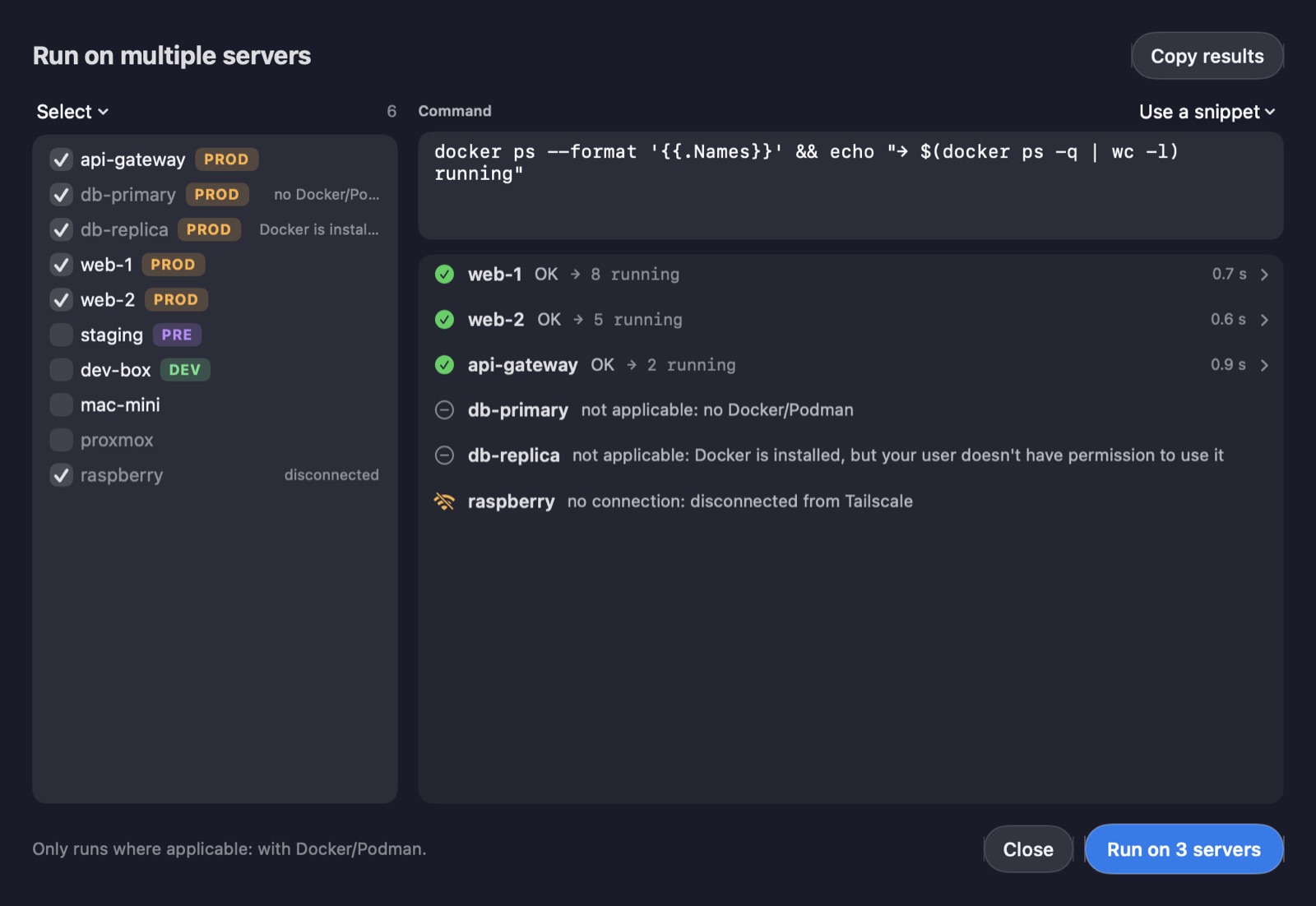
No Docker, no containers button. A docker ps run across all your servers skips this one, with no errors.
It tells you exactly what's missing: sudo usermod -aG docker $USER.
Production, with a safety net
Touch ID before connecting and a warning before an rm -rf, a DROP TABLE or a DELETE without WHERE. If you want, Atoll records the output of your production sessions so you can review them later; never what you type.
htop, vim or Claude Code with no surprises.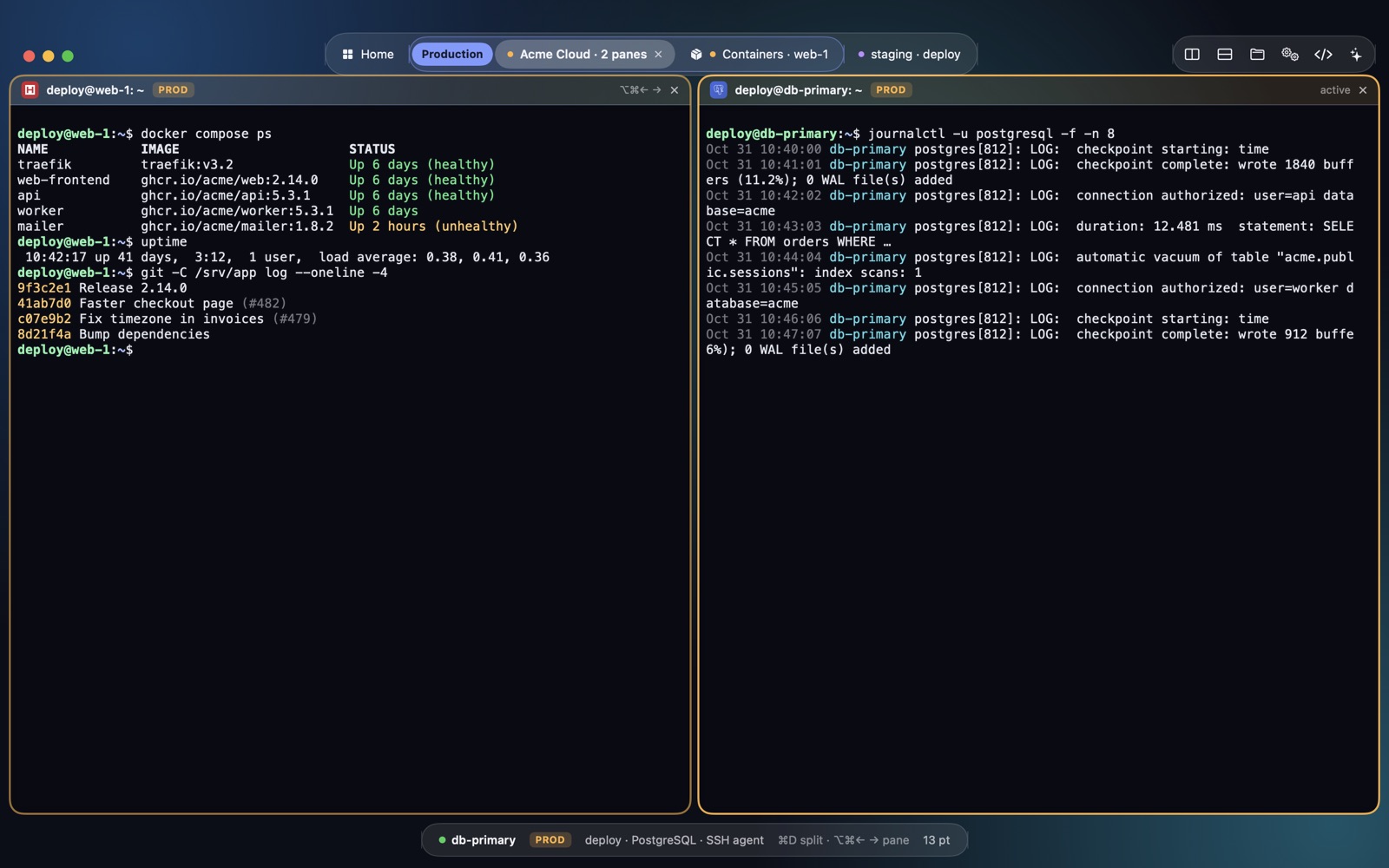
Docker and Podman
Status, health, ports, CPU and memory of every container, refreshed every 10 seconds. Live logs, a shell inside, restart, or open the service in the browser with one click. With or without sudo.
Many servers
Pick by group or environment, type the command and see each server's result, with its exit code and duration. It only runs where it applies.
History
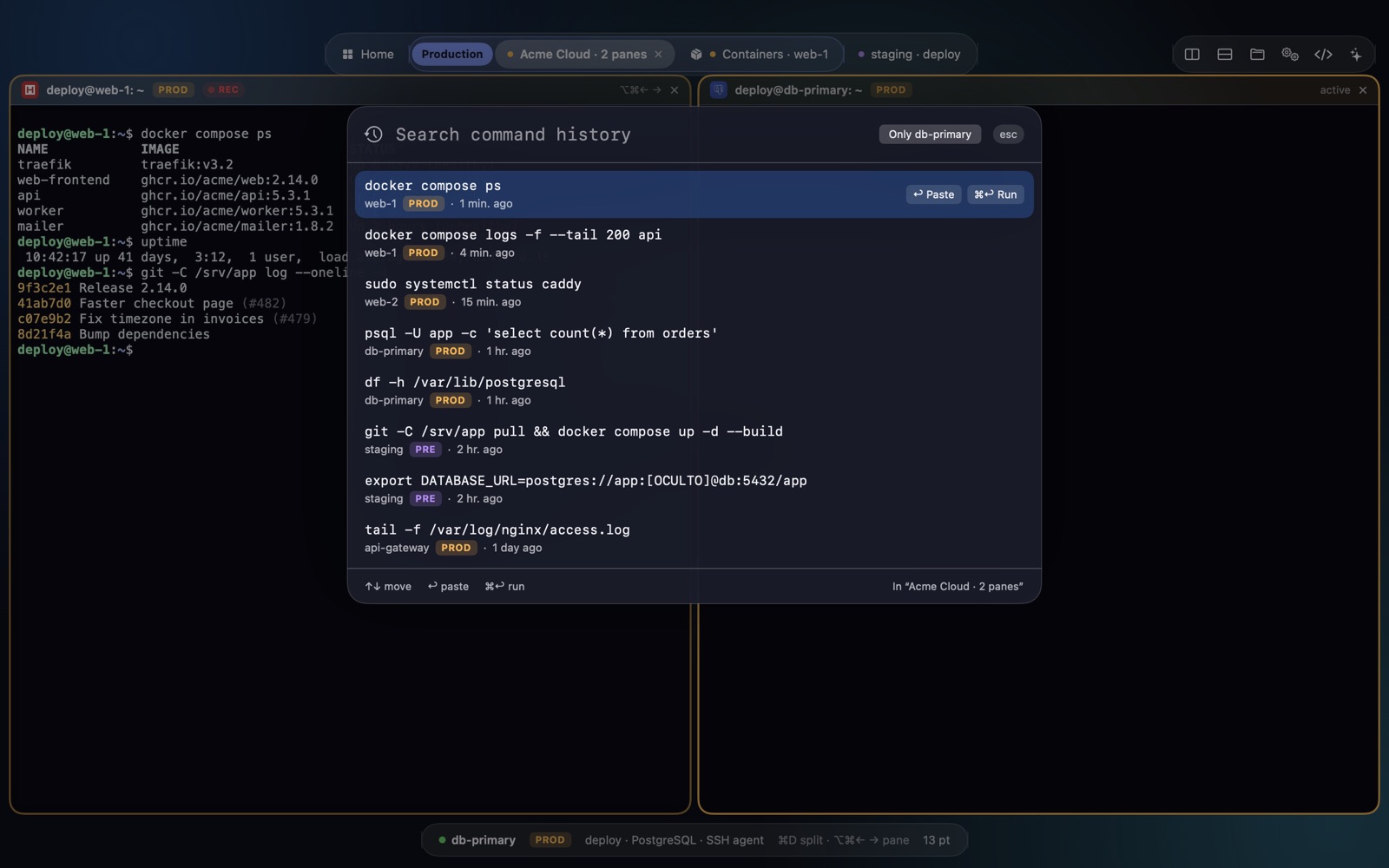
⌃⌘R searches the commands of all your servers: Return pastes into the terminal, ⌘Return runs it. It's stored only on your Mac and hides passwords and tokens.
systemd
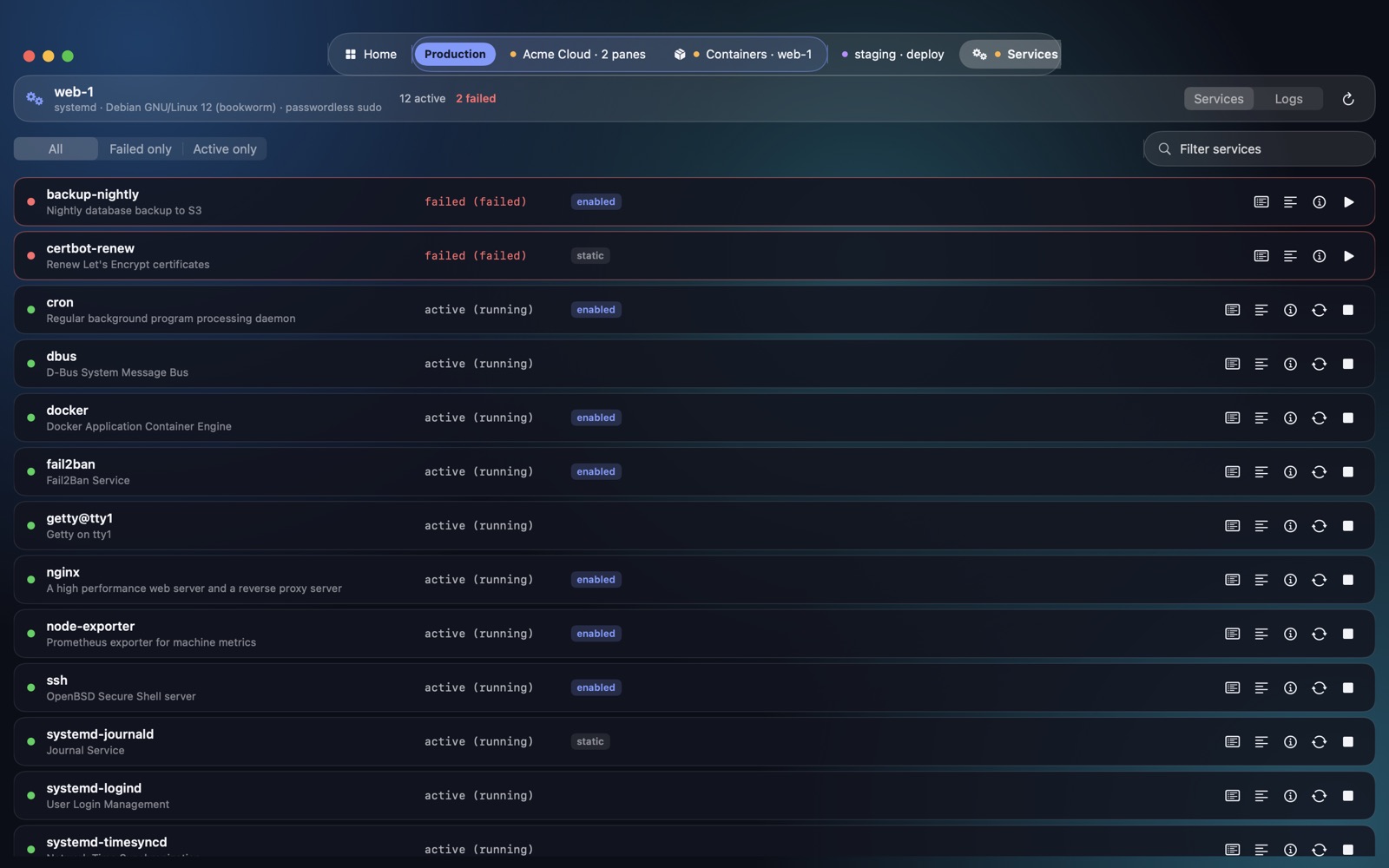
Each server's services, failed ones first, with live logs, status and restart, stop or start. Plus a journalctl viewer you can filter by priority, service and text.
And also
Drag and drop, per-file progress and editing remote files in your own editor.
It's Atoll's database. Nothing proprietary: what you create works in any terminal.
Passwords in the macOS Keychain and keys protected by Touch ID.
Use your password manager's SSH agent, server by server.
CPU, memory and disk with 24-hour charts and an alert when a server stops responding.
A container's ports open with one click: Atoll creates the SSH tunnel.
Save tabs, groups and panes under a name and open them all at once.
Import your tailnet's tagged machines and see which ones are online.
Between your Macs through iCloud Drive, encrypted with AES-GCM, plus a vault for your team.
Connect from Spotlight, Raycast or Alfred, and bring up the palette with ⌃⌥⌘P.
Explains errors and suggests commands with your Claude Code subscription. Hides secrets before sending.
Follows the macOS language or the one you pick in its settings.
Comparison
Against a popular Electron-based SSH client, on the same Mac with both apps open.
| Atoll | Competition (Electron) | |
|---|---|---|
| Technology | Native (Swift, SwiftUI) | Electron (Chromium) |
| Real memory | 156 MB | 1,345 MB |
| Idle CPU | < 1% | ~20% |
| App size | 13 MB | 254 MB |
| Payment model for the full version | One-time purchase | Subscription |
Free and Pro
For the first 14 days you get full Atoll Pro, no sign-up. Afterwards it carries on as Atoll Free.
€0
Free, forever
Launch offer until 30 November
One-time purchase with a year of updates. It keeps working forever; renewing updates later is optional.
FAQ
Atoll is native: it's written in Swift and uses macOS's own ssh, with no browser inside. Besides a terminal, SFTP, keys and port forwarding, it manages Docker containers, systemd services and commands across servers. On a MacBook Air M2 it uses 156 MB of memory versus the 1,345 MB of a well-known Electron-based client.
Atoll Free is free forever: 5 servers, 2 sessions at a time, 2 keys, 3 snippets and 1 port forward, with production protection included. For the first 14 days you get full Atoll Pro, no sign-up.
No. Atoll Pro is a one-time purchase with a year of updates. The version you have keeps working forever.
€39 for 2 Macs or €49 for 5 Macs, paid once, with a year of updates. Until 30 November it is €29 and €39. Renewing updates afterwards is optional: without it, the version you have keeps working.
Yes. Your ~/.ssh/config is Atoll's database: there is no proprietary format. What you create in Atoll works in any terminal, and Atoll makes a backup before writing.
Passwords go to the macOS Keychain. Keys stay in ~/.ssh or, if you choose, in the Mac's Secure Enclave, protected by Touch ID. Sync between your Macs is encrypted with AES-GCM before it leaves the Mac.
A Mac with Apple Silicon (M1 or later) running macOS 26 Tahoe.
Yes. Atoll detects what each server has. Where there is Docker or Podman it shows the containers with their status, ports, CPU and memory; where there is systemd, the services and the journalctl logs. Where there isn't, it shows nothing.
Yes. Atoll imports from an ssh_config, from CSV and from PuTTY sessions, and it detects duplicate servers.
Yes. Atoll is in English and Spanish, and it follows the macOS language or the one you pick in its settings.

For Apple Silicon Macs running macOS 26. Free, with 14 days of Atoll Pro included. In English and Spanish.
Download Atoll 1.7